

The 15 best mass texting services for churches in 2026 are:
- SMSCountry
- Text In Church
- Flocknote
- EZ Texting
- Textedly
- ClearStream
- DialMyCalls
- Tithely
- TextMarks
- Mojotxt
- Pastorsline
- Trumpia
- One Call Now
- CallFire
- CallMultiplier
Your Sunday reminder texts are going unread. Your event turnouts are dropping. And your congregation feels disconnected – not because they don’t care, but because your church hasn’t found the right mass texting service yet. Above are the 15 best text messaging service providers for churches in 2026, ranked by delivery speed, pricing, and real user reviews.
These tools are easy to use, affordable, and reliable. You want an easier way for you to send reminders, prayer requests, donation links, event updates, and emergency alerts… without needing a tech team to set up. So we’ve researched and tested the top 15 platforms to save you time and frustration.
Each service provider in this blog includes a quick breakdown of who it’s best for, pricing, key features, and the pros and cons. Plus, a link to the official site so you can check it out yourself. Plus, we’ve ensured it’s all easy to understand so you can start immediately.
Methodology: We evaluated each platform on delivery speed, pricing transparency, API access, customer support quality, and ChMS integration – based on verified G2 and Capterra reviews (May 2026).
| Don’t have time to go through the entire list? If you don’t have time to go through the entire list, I recommend you try out SMSCountry Today! Here’s what you get with SMSCountry: – 5-second delivery and 99% deliverability your customers will love – Easy-to-use API, web app and plugins to make your team’s lives easier – Customer support from Indian-based reps that understand you well Book a demo to see how our platform works, or visit our pricing page to get customised pricing for your business. |
Check the table below for a quick comparison of these 15 mass text messaging providers.
Best Mass Texting Services for Churches in 2026: Side-by-Side Comparison
Here’s a quick summary of the text messaging providers featured in this buyer’s guide..
| Service provider | Basic plan (Monthly) | Delivery rate & speed | API? | Other channels | Customer support quality | Google review rating | Best for |
| SMSCountry | Flexible pay-as-you-use | 99% deliverability, 5-second delivery | ✅ | WhatsApp, Voice, Email | Excellent (24/7) | 4.6 | Bulk text messaging |
| Text In Church | $31/month | Reliable, mid-speed | ❌ | Great (Chat + Email) | 4.8 | Email to SMS | |
| Flocknote | $10/month | Reliable, standard speed | ❌ | Excellent (Faith-based) | 4.9 | Email to SMS | |
| EZ Texting | $20/month | Fast, reliable | ✅ | Voice | Good | 4.4 | MMS |
| Textedly | $26/month | Fast, scalable | ✅ | None | Good | 4.5 | Mass SMS |
| ClearStream | $29/month | Super fast, reliable | ✅ | Email, Integrations | Excellent | 4.7 | Automated Flows |
| DialMyCalls | $7.49/month | Moderate speed | ✅ | Voice, Email | Good | 4.2 | Voice Calls |
| Tithely | $72/month | Reliable delivery | ❌ | App, Giving tools | Good | 4.5 | Giving Integration |
| TextMarks | $199/month | High-speed, reliable | ✅ | None | Great | 4.3 | Short Codes |
| MojoTxt | $14/month | Reliable, mid-speed | ✅ | None | Good | 4.1 | Simple Reminders |
| Pastorsline | $15/month | Instant delivery | ✅ | WhatsApp, Voice | Excellent | 4.6 | Two-Way SMS |
| Trumpia | $39/month | Fast, enterprise-grade | ✅ | Email, Social, Voice | Great | 4.4 | Smart Triggers |
| One Call Now | Undisclosed | Moderate, reliable | ✅ | Voice, Email | Good | 4.3 | Emergency Alerts |
| CallFire | $99/month | Fast delivery | ✅ | Voice | Decent | 4.0 | Voice Broadcasts |
| CallMultiplier | $19.99/month | Fast, voice-first | ✅ | Voice | Good | 4.2 | Voice Trees |
Now, let’s get into more detail about each product.
Looking for something beyond churches? Read our guide to the best text messaging service for small businesses.
1. SMSCountry
Best for: mass texting, voice SMS
Reason to buy: lightning-fast 5-second text message delivery speed and 99% deliverability
Starting price: flexible pay-as-you-use pricing model, so that you only pay for what you use.
SMSCountry is a fully equipped business and organisation text messaging service provider designed to help your church communicate clearly, quickly, and personally with your congregation.
You can use SMSCountry to send Sermon highlights | Prayer meeting alerts | Bible study reminders | 2-way pastoral care messages | Emergency updates | Event invitations | Automated OTPs for donation portals
And more.
Its biggest strengths are speed and reach. With direct connections to the best telecom operators in India, the UAE, and the U.S., SMSCountry ensures your messages arrive in under 5 seconds with 99% deliverability.
You also get access to a dedicated account manager and 24/7 support, which is available even during holidays.
You can access SMSCountry via their web portal, a lightning-fast REST API (if you or your team have experience with coding), or by simply integrating plugins with your church management tools like WordPress, CRMs, or donation software. So, whether you know how to code or not, you can enjoy a smooth experience with SMSCountry.
Top features of SMSCountry include:
- Scheduled messaging
- 2-way messaging
- RCS messaging – RCS messaging (Rich Communication Services) – the next-generation SMS standard that supports images, buttons, and branded sender IDs, ideal for church event invitations and multimedia prayer alerts.
- Reports & analytics
- Responsive 24/7 support
- Enterprise-grade security
- Scalable REST API
To get started on SMSCountry, head to smscountry.com, create an account, and check your inbox for your login credentials. From there, you can send messages using the web portal, integrate plugins, or build a custom experience with the API.
Who Should Use SMSCountry?
SMSCountry is ideal for larger churches (200+ members) with multiple campuses. It also supports OTP-enabled giving portals, making it especially suitable for congregations in India, the UAE, and the U.S.
What users love about SMSCountry
Users love SMSCountry’s fast and reliable deliveries. They also love the flexible pricing (ideal for ministries with tight budgets) and the 24/7 human support they get for a stress-free setup and troubleshooting.
What users don’t love about SMSCountry
Some users feel the pricing can be higher than some other tools, even though they say they get value for their money.
SMSCountry pricing
SMSCountry provides a flexible pay-as-you-go pricing model tailored to your needs and budget. Your cost depends on:
- The number of messages you send
- The route you select
- Where your recipients are located.
To get an estimate, visit the pricing page, schedule a demo, or email sales@smscountry.com.
2. Text In Church
Best for: automated church guest follow-up and email workflows.
Reason to buy: Built for churches
Starting price: $31/month
Text In Church is a two-channel communications platform designed exclusively for churches and ministries. It combines mass and two-way SMS with email campaigns and church guest-follow-up workflows.
Churches use Text In Church for guest follow-ups, Sunday service reminders, event notifications, engaging inactive members, prayer requests, and volunteer schedules.
It works with 10DLC-registered local 10-digit numbers (or you can port your own numbers). It also includes built-in email and SMS templates you can use. It also has weekly live Help Desk calls and a private Facebook community of 15,000+ church leaders.
You can use Text In Church primarily via its web dashboard and mobile apps. You can also integrate with its Planning Center, Church Community Builder, Breeze, Rock RMS, Mailchimp, and Zapier, and via its open API for custom connections.
Text In Church’s main features include
- Two-way texting & mass SMS
- Email + SMS coordination
- Local phone numbers & short codes
- Connect Cards & Text-a-Keyword
- Custom contact fields & segmenting, and
- Automated workflows
To use Text In Church, visit textinchurch.com and start a 14-day free trial. Create an account and choose or port a local number. Next, upload or sync your contact list, select templates or build custom workflows, and you’re ready.
They boast a good clientele, but Text In Church hasn’t publicly disclosed the churches using their services. However, some users on review sites have left feedback for you.
What users love about Text In Church
As seen on review sites like G2 and Capterra, Text In Church users love the blend of SMS and email in one platform, including the integration with their existing databases.
What users don’t love about Text In Church
Some users don’t like having to log in to the dashboard before they can see essential notifications like message replies, as they prefer to receive them via SMS or email. Others have noted occasional hiccups with the Church Community Builder integration.
Text In Church pricing
Text In Church’s Basic plan costs $31/month for 500 texts. Their Pro plan costs $56/month for 1,500 texts, 2 local numbers, while their Premier plan starts at $371/month for 25,000-100,000 text messages.
3. Flocknote
Best for: member management and online giving.
Reason to buy: no per-message fees, and built-in giving tools
Starting price: $10/month for 41–50 members.
Flocknote is a communication and member management platform built for churches and ministries. It combines text messaging, email campaigns, online giving, and people tracking into one tool.
You can use Flocknote to group households and send prayer requests, event reminders, sacrament prep updates, donation campaigns, and weekly newsletters.
Flocknote has built-in tools for event signups, volunteer coordination, and sacrament tracking. Their ‘Flocknote Complete’—an optional flat-rate upgrade—gives you advanced reporting and donor management.
You can access Flocknote via its web dashboard and mobile apps. It’s integrable with CRM tools like eCatholic and Sheenomo and has an API for custom connections.
On Flocknote, you’ll get features like:
- Customisable sign-up forms
- Surveys and polls
- Automated reminders
- Reporting and analytics
- Mobile app access
- Member and household management
To use Flocknote, start a free trial at flocknote.com, create an account and import your member list. Next, set up your groups and customise your preferences. And you’re ready to start sending text messages, collecting donations, and managing events.
What users love about Flocknote
Church leaders appreciate Flocknote’s user-friendly interface, unlimited messaging, and integrated giving tools. The platform’s customer support is noted for being responsive and helpful, contributing to a positive user experience.
What users don’t love about Flocknote
Some users mention that the pricing model, based on member count, can be a drawback if you don’t use the platform regularly, as you may still incur charges. Others find certain icons and navigation elements in the interface less intuitive.
Flocknote pricing
Flocknote charges by member count. 0 – 40 members if free. Then, for 41–50 members, their Started plan costs $10, and $75 for the Complete plan. For 500 members, the Starter plan is $75, and $148 for the Complete plan. And for 1,000 members, the Starter plan costs $105, and $180 for the Complete plan.
4. EZ Texting
Best for: small and large organisations, donor relations/fundraising teams,
Reason to buy: automated messaging and pay-as-you-go pricing model.
Starting price: $20/month, plus SMS credits at $0.01–$0.05 per message.
EZ Texting is a cloud-based texting service. It helps churches and organisations run mass texting campaigns and send multimedia (MMS) or Rich Communication Services (RCS) messages via a single dashboard (although the RCS messaging feature is still coming soon).
You can use EZ Texting to send service reminders, event notifications, donation appeals, educational drip campaigns, and emergency alerts.
It integrates with CRM tools and has opt-in functionality with built-in STOP keywords and privacy policies.
You can access EZ Texting via a web dashboard, mobile apps, pre-built integrations, and a REST API.
It comes with top features like:
- 2-way texting
- Analytics and reporting
- Short codes & keywords
- Schedule & drip campaigns
- Phone number rental (local & toll-free)
To get started, visit EZ Texting.com/start and sign up for a free account. Then, verify or select your sending number, upload your contact list or sync via integrations, choose your templates or build custom campaigns, and send your first message.
What users love about EZ Texting
From my review of the tool, I like its intuitive interface. Users on G2 and Capterra also said they love its delivery reports feature and automation workflows.
What users don’t love about EZ Texting
Users who send high-volume messages prefer unlimited or more flexible plans. So EZ Texting’s per-message pricing model and credits aren’t convenient for them. They also complained about the occasional message rejects or delivery delays they faced after sending their messages.
EZ Texting pricing
EZ Texting’s subscriptions start at $20 per month, and its per-SMS pricing costs between $0.01 and $0.05 per text message, depending on your volume and route. Its MMS costs are higher, although they didn’t disclose the exact cost. You’ll have to visit their pricing page for more details on this pricing.
| Here’s what you get with SMSCountry: – 5-second delivery and 99% deliverability, your customers will love – Easy-to-use API, web app and plugins to make your team’s lives easier – Customer support from Indian-based reps that understand you well Book a demo to see how our platform works, or visit our pricing page to get customised pricing for your business. |
5. Textedly
Best for: 2-way congregational messaging
Reason to buy: pay-as-you-use pricing model with no long-term contracts
Starting price: $26/month billed annually, for 600 texts
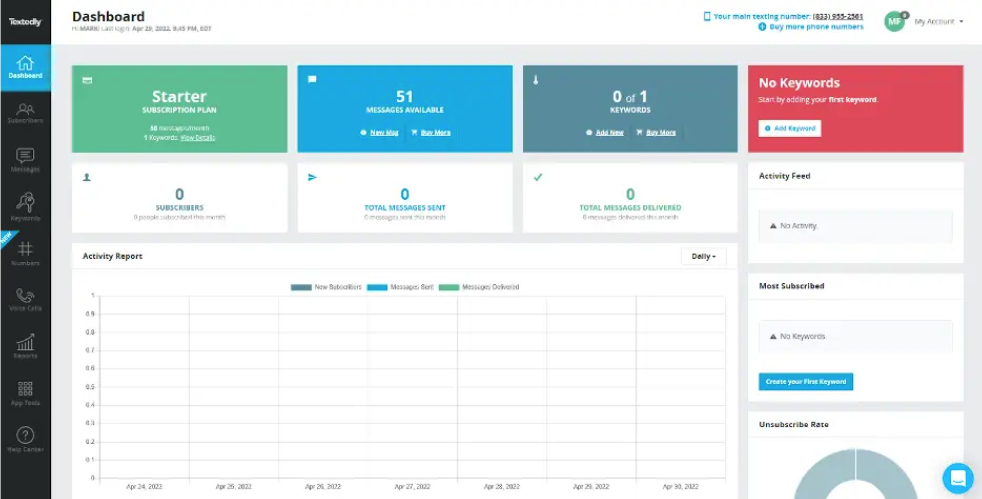
Textedly is a cloud-based SMS/MMS marketing platform for businesses and organisations of all sizes. It lets you send mass SMS and MMS broadcasts, run drip campaigns, manage conversations, and collect payments using the Text-to-Pay functionality, all via a single web or mobile application.
With Textedly, you can promote your church events, manage your church communities, and follow up 1:1 with your members.
You get free incoming messages with no inbound SMS fees, and you can integrate them with tools like Salesforce, Shopify, Google Sheets, and more.
You can access Textedly via their web dashboard, mobile app, and REST API for custom builds.
Its top features include:
- Mass SMS & MMS campaigns
- 2-way texting inbox
- Drip campaign automation
- Text keywords & short codes
- Contact segmentation & tagging
- 300-character messages & multimedia
To start using Textedly, visit their website and start your 14-day trial. Next, verify or pick your 10DLC/toll-free number, upload or sync your contacts (CSV, webforms, integrations), and create keywords, templates, or custom workflows. And you’re set.
What users love about Textedly
Some users love Textedly’s interface, easy setup, and responsive customer support.
What users don’t love about Textedly
Other users reported occasional message delays and system glitches; some wished Textedly had more mobile-app features.
Textedly pricing
Textedly offers a 14-day free trial with 50 texts and 1 keyword. After the free trial, you start using their pay-as-you-go blocks, which cost $25 per 500 texts (+ extra keywords that cost $5/month each).
6. ClearStream
Best for: Church plants and multi-campus ministries
Reason to buy: blend of email and SMS
Starting price: $29/month
Clearstream is a communication platform for churches that integrates SMS, MMS, and email in a single dashboard. Clearstream can be used for follow-up sequences, volunteer coordination, service reminders, new visitor engagement, prayer requests, and last-minute event changes.
Its biggest strength is managing all church communication in one place, while assigning teams or campuses to their own subaccounts.
The platform can be accessed via a web portal or mobile app. It offers integrations with popular tools like Planning Center, Breeze, Rock RMS, and Zapier. Your developers can also connect via a REST API.
ClearStream has features like:
- Two-way message inbox
- Text-to-Join keywords
- Scheduled and automated messaging
- Subaccounts for teams or campuses
- Live polls and surveys
- Short codes and toll-free numbers
If you want to set up on ClearStream, create an account on the website and choose a phone number or shortcode. Then, import contacts or integrate your church management system, create keywords and automated flows, and you can send texts or emails immediately or schedule for later.
What users love about ClearStream
ClearStream’s interface made getting started easy for me. Integration with church software is also easy.
What users don’t love about ClearStream
Their mobile app has limitations compared to the desktop version, and their automation tools have a steep learning curve (it requires time to understand). Other users also complained that their entry-level plans lack vital features, and they’ll have to spend much more to get the most out of the tool.
ClearStream pricing
Clearstream offers a 30-day free trial (100 credits). Paid plans begin at $29/month for 1,250 credits, with options up to $5,400/month for 500,000 credits. Extra credits are available anytime, starting at $10 for 125 messages and up to $5,000 for 250,000 messages.
7. DialMyCalls
Best for: US and Canada churches for voice, text, and email messaging
Reason to buy: lowest starting price of any platform on this list at $7.49/month, with voice, SMS, and email communication in a single interface.
Churches use DialMyCalls for reminders, alerts, and prayer requests via email, text messages, and automated phone calls to their contact lists.
DialMyCalls is accessible via the web portal or mobile app, offering API integrations with church management systems.
It comes with top features like:
- Voice broadcasting service
- 2-way text messaging
- Contact management with segmentation
- Push-to-Talk
- Custom local long code SMS vanity numbers.
To get started on DialMyCalls, create an account, verify your phone number, add your contact lists manually or import them, write or record your message, choose your recipients, and schedule your broadcast.
What users love about DialMyCalls
They have a user-friendly interface and communication methods (voice, SMS, and email).
What users don’t love about DialMyCalls
Some users complained about their lack of detailed reporting and analytics. Others say that no matter the pricing model or plan they choose, they spend more as they send more messages.
DialMyCalls pricing
DialMyCalls offers credit-based, contact-based, and pay-as-you-go plans. The credit-based plans start at $9.99/month for 25 message credits, scalable to up to 50,000 credits at $1,750/month, and the contact-based plans start at $7.49/month, scalable to up to 12,000 contacts at $1,560/month. Meanwhile, the pay-as-you-go plan starts at 200 credits (minimum), and for 50,000 credits, you’ll pay $2,050/time.
Every credit = one 30-second voice call or a text (up to 157 characters) to one contact.
8. Tithely
Best for: unified SMS and email.
Reason to buy: multi-integration with SMS and email
Starting price: $72/month.
Tithely Messaging combines SMS and email with automation and AI features. This means churches can send personalised messages automatically when specific keywords are used.
You can use Tithely to send SMS and email, automate follow-up sequences, manage contact lists, integrate with church management systems, and create content using AI.
For example, if a new person texts “NEW,” they can be automatically added to a “Visitors” list and receive follow-up messages.
You can access Tithely via their web portal. Its top features include:
- Unlimited keywords
- 2-way messaging
- AI-powered email content generation
- Integration with Tithe.ly Giving
- Contact list management
- Follow-up automation
You can get started on Tithely Messaging by signing up on their dashboard, enter payment details (if you are not already on their All-Access plan), and select a messaging phone number and email address. Next, configure notification settings and start sending messages.
What users love about Tithely
Tithely users find the software easy to navigate and operate. Their pricing structure is suitable for small and mid-sized churches.
What users don’t love about Tithely
Users have noted challenges with syncing between Tithely and other platforms, such as Elvanto, which can lead to data inconsistencies or additional manual work. Others have noted that getting help for complex issues is difficult.
Tithely pricing
Tithely’s Free Giving plan costs $0/month, Giving + Church Management plan costs $72/month, and All Access (everything bundled) costs $119/month. Plus, a custom plan for an audience of over 2,000.
9. TextMarks
Best for: keyword-driven SMS communication
Reason to buy: easy keyword setup and broad accessibility
Starting price: $199/month
TextMarks is an SMS messaging service provider for churches and non-profit organisations.
You can use TextMarks to send service reminders to specific groups, daily devotionals, event updates, volunteer coordination and emergency alerts. It’s popular for its keyword-based system, which allows congregants to subscribe to specific groups by simply texting a designated keyword.
You can easily manage messages and subscribers on the TextMarks web portal or integrate with your systems via an API.
On TextMarks, you’ll find top features like:
- Keyword-based group messaging
- Schedules messaging
- Mass text broadcasts
- Subscriber list management
- Web-based opt-in forms
To set up TextMarks, create an account on their website, choose a unique keyword for your group, and promote this keyword to your congregation. Members can then subscribe by texting the keyword to the provided short code.
What users love about TextMarks
Users love its message scheduling feature the most. According to user comments on review sites like G2 and Capterra, their support team has been responsive.
What users don’t love about TextMarks
Meanwhile, many users don’t like the limitations in the platform’s functionality, especially their inability to send multimedia messages like images. Others mentioned challenges with the character limits per message, plus issues they faced when uploading their contact lists. While others don’t like that admins can’t control how users can opt in and out of groups.
TextMarks pricing
TextMarks hasn’t disclosed its pricing details publicly. However, review sites like Capterra and Getapp have indicated that their pricing is $199 per month, with no free version or free trial. You may have to contact the TextMarks team for more details on pricing.
10. Mojotxt
Best for: non-profit organisations.
Reason to buy: an SMS platform with integrated giving and devotional tools.
Starting price: $14/month.
Mojotxt is a U.S.-only SMS platform designed for churches and nonprofits. You can use Mojotxt to send service reminders, coordinate volunteers, collect donations, conduct live polls, and distribute daily devotionals. Its standout feature is the integration of text messaging with donation processing and daily devotional programs.
Users can access Mojotxt via a web portal or their SMS API. And its top features include:
- Unlimited keywords
- Scheduled message
- Auto-responders
- Donation processing
- Multiple phone numbers
- MMS support
- Link shortening and tracking
To use Mojotxt, sign up for a free trial on the Mojotxt website, select a phone number, and create keywords and message lists.
What users love about Mojotxt
Users say that the platform is easy to use. They also like the donation processing and devotional programs integrated with the messaging.
What users don’t love about Mojotxt
Mojotxt is limited to organisations in the U.S. and not to other countries. International availability is a key differentiator among these platforms. Mojotxt and DialMyCalls are limited to U.S. and Canada only. Pastorsline also primarily serves U.S. and Canadian churches. If your church or ministry operates across multiple countries – including India, UAE, or the UK, SMSCountry is the only provider in this list with direct telecom connections across 200+ countries. Factor in geographic reach before selecting a platform.
Mojotxt pricing
Mojotxt pricing starts at $14/month for 400 messages. They also have plans at $24 for 1,000 messages, $49 for 2,600 messages, $89 for 5,000 messages, $169 for 10,000 messages, $399 for 25,000 messages, and $749/month for 50,000 messages.
11. Pastorsline
Best for: SMS and voice, for churches in the U.S. and Canada.
Reason to buy: a unified system for various church communication channels.
Starting price: $15/month for 500 messages.
Pastorsline is a cloud-based communications platform for churches and ministries. It provides access to automated SMS messaging, voice calls, and email interactions with church members and visitors. Churches use it to conduct surveys, send event reminders, announcements, and collect donations.
Churches use it to conduct surveys, send event reminders, announcements, and collect donations.
Like other providers, you can access Pastorsline via their web portal and mobile app or run integrations for your management systems.
You’ll find features like:
- 2-way messaging
- Voice call broadcasting
- Email messaging
- Keyword-triggered responses
- Contact list management
- Automated workflows and campaigns
To get started on Pastorsline, sign up on their website, choose your dedicated phone number, and configure your preferences. You can then import contacts and set up groups to message.
What users love about Pastorsline
Users love how easy it is to use Pastorsline with the Planning Center simultaneously, making it easy to communicate with parents, volunteers, and groups.
What users don’t love about Pastorsline
Users want more relevant and easy-to-use analytics and reporting in the tool. They also found it difficult to start with or use, as it has a steep learning curve.
Pastorsline pricing
Pastorsline’s pricing starts at $15/month for 500 messages and one phone number. For growing churches, the Small Church plan costs $50/month for 2,500 messages, while the Medium Church plan costs $100/month for 5,000 messages. Larger plans include the Large Church tier at $250/month for 15,000 messages and the Mega Church plan at $750/month for 57,500 messages.
12. Trumpia
Best for: advanced automation.
Reason to buy: unified SMS, email, and voice system for churches.
Starting price: $39/month (billed annually) for 1,000 SMS & 18,000 emails.
Trumpia is a multichannel communication platform for churches and ministries that offers a unified approach to automated interactions with their congregants. Churches use it for reminders, alerts, church activities, donations, feedback, and daily devotionals.
Churches use it for reminders, alerts, church activities, donations, feedback, and daily devotionals.
Trumpia’s top features include:
- 2-way SMS and MMS
- Voice call broadcasts
- Email messaging
- Reporting and analytics
- Scheduled messaging
You can set up and use Trumpia by signing up on their website, choosing a dedicated number, importing your contacts, and setting up groups (similar to the process with others discussed in this blog). You can access the tool via their web portal and mobile app.
What users love about Trumpia
Users love the platform’s distribution lists and the ease of setting up and sending text messages.
What users don’t love about Trumpia
Some users complained about the app’s lag, while others felt uncomfortable with Trumpia’s overwhelming user interface.
Trumpia pricing
Trumpia’s pricing starts at $36/month for the Core Plan (1,000 texts, 5,000 emails). The Advanced Plan costs $156/month with 5,000 texts, 50,000 emails, and added automation. You can also get a custom quote.
13. One Call Now
Best for: voice-first communication for mass notifications.
Reason to buy: unlimited voice, text and email messaging
Starting price: undisclosed.
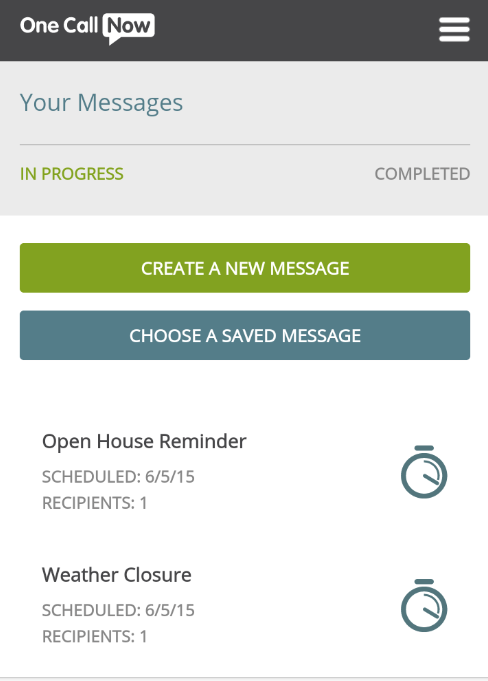
One Call Now is a mass notification platform for organisations, including churches, schools, and non-profits.
You can use One Call Now to coordinate activities, share prayer requests, announce event cancellations, and distribute newsletters. Users (organisation leaders) send messages via voice calls, text messages, and emails to their members, visitors or volunteers.
You can always access it via the web portal, mobile app, or API.
Some of One Call Now’s top features include:
- Unlimited voice, text, and email
- Group messaging with customisable contact lists
- Mobile app for on-the-go access
- Integration with contact databases
- Message scheduling
What users love about One Call Now
Many users say the voice interface is easy to use on a mobile phone. And that the notifications feature works fine.
What users don’t love about One Call Now
Updating the audience’s contact information is a hassle. Others complained about the non-intuitive user interface saying it takes extra trial and error attempts to understand how it works.
One Call Now pricing
One Call Now has not disclosed its pricing information to the public. For a customer plan, you may wish to talk with its sales team.
14. CallFire
Best for: flexible pay-as-you-go church communications.
Reason to buy: scalable pricing with no long-term contracts.
Starting price: $99/month.
CallFire is a cloud-based telephony software for call centres based in California, USA. You can use CallFire to reach your customers or church/ministry members on the cloud, via many channels. You can send reminders, announce events, send newsletters, and handle prayer requests.
You can use CallFire to reach your customers or church/ministry members on the cloud, via many channels. You can send reminders, announce events, send newsletters, and handle prayer requests.
Users can access CallFire either through a web portal or API integrations.
Its best features include:
- A developer-friendly API
- Call tracking
- Interactive voice response (IVR)
- Contact list management
- SMS campaign management
- Voice broadcasts
To get started on CallFire, sign up on their website, configure your contact lists, and set your messaging preferences, and even choose your preferred delivery methods.
What users love about CallFire
Users like the platform’s user interface that’s easy to set up and use. Others liked that they could choose between various pricing plans and models.
What users don’t love about CallFire
Many users of CallFire complained about the delayed and unresponsive customer support. Others didn’t like that they couldn’t edit their text-to-speech recordings.
CallFire pricing
CallFire offers flexible pricing with five options: the Lite Plan at $99/month (2,500 minutes or texts), the Startup Plan at $199/month (5,500 minutes or texts), the Grow Plan at $299/month (10,000 minutes or texts), and the Pro Plan at $599/month (20,000 minutes or texts). There’s also a Pay-As-You-Go Plan at 6¢ per minute or text with no monthly fee.
15. CallMultiplier
Best for: automated calling and messaging
Reason to buy: group contacting and management
Starting price: $19.99/month

CallMultiplier is an automated calling and text messaging software that helps churches and other organisations reach and engage with their audience in segmented groups. You can use it to notify members of urgent notices, send and manage prayer requests, and announce special events.
You can use it to notify members of urgent notices, send and manage prayer requests, and announce special events.
Like most other tools, users can access CallMultiplier via the web portal, mobile app, or API and integrate their systems with it.
What users love about CallMultiplier
CallMultiplier’s users love their responsive customer support, and their feature-rich messaging platform.
What users don’t love about CallMultiplier
Some disliked the platform’s occasional glitches, while others complained that the platform lags, loads slower, freezes, and use up more RAM or processing power on older devices.
CallMultiplier pricing
CallMultiplier offers three pricing plans: the Essential Plan starting at $19.99/month, the Professional Plan starting at $49.99/month, and the Enterprise Plan with custom pricing based on your needs.
Now that you know the top 15 mass texting services for churches, let’s talk about how to choose the best one for your church/ministry.
| Here’s what you get with SMSCountry: – 5-second delivery and 99% deliverability, your customers will love – Easy-to-use API, web app and plugins to make your team’s lives easier – Customer support from Indian-based reps that understand you well “We were frustrated with Twilio’s SMS API services until we found SMSCountry. SMSCountry provides fast OTP SMS delivery and great customer support. Much recommended” – Gaurav Aggarwal, Kavya Digital Solutions Book a demo to see how our platform works, or visit our pricing page to get customised pricing for your business. |
Why Churches Use Mass Texting Services: 7 Proven Benefits for Any Congregation Size
Using text messaging for your church comes with many benefits, like:
- Better and faster communication
- Higher attendance at events and services
- Stronger personal connection with members
- Easy way to send reminders and updates
- Cost-effective compared to other tools
- Helps reach younger and older members alike
- Great for urgent alerts and emergencies
And I’ll explain how.
1. Faster Communication: Reach Your Entire Congregation in Under 5 Seconds
Text messaging makes it possible for a church to quickly reach members without waiting for people to check emails or see announcements during Sunday service.
With one message, you can keep everyone updated instantly, whether it’s about an upcoming Bible study, a change in service time, or a special prayer request.
2. Higher Event Attendance: How SMS Reminders Reduce No-Shows for Church Events
Sometimes people forget about mid-week gatherings, prayer meetings, or special events.
A simple text reminder the day before or even a few hours before can make a big difference. It keeps the event fresh in people’s minds and leads to better turnout, which means more participation and stronger fellowship.
3. Stronger Pastoral Connection: Personalized SMS Builds Member Loyalty
Text messages feel more personal to people than emails or social media posts.
It makes them feel like you’re speaking to them personally.
This can help members feel more cared for and connected to your church family. And this happens especially when those messages are either words of encouragement, scripture, or birthday wishes.
4. Easy way to send reminders and updates
Church life involves a lot of activities – Sunday school, choir rehearsals, youth programs, fundraising events, and more. So, instead of relying only on printed flyers or word of mouth, a text messaging service makes it easy to keep everyone updated. Members get reminders right where they’ll see them – in their text message inbox.
5. Cost-Effective Church Communication: SMS vs Email vs Church Apps (Price Comparison)
Some communication methods can be expensive or complicated, like running ads, printing flyers, or even setting up special apps.
Text messages are a more affordable option for churches because it doesn’t require fancy technology, and nearly everyone already has a phone that can receive SMS.
6. Helps reach younger and older members alike
Unlike social media, which some older members may not use, or apps that need downloading, text messaging is universal.
Young people check their phones all the time, and older members are also comfortable with SMS since it’s been around for years. This makes text messaging a bridge that connects all age groups in your congregation.
7. Great for urgent alerts and emergencies
Emergencies happen. And when they do, you need the quickest way to communicate things like sudden service cancellations due to weather, last-minute venue changes, or urgent prayer requests.
Text messages are more effective at this than other channels. Everyone gets the news/updates on time, so no one feels left out or confused.
Church Texting Service Pricing Compared: $7/mo to $199/mo Breakdown
Here’s a breakdown of how the leading church texting services compare on cost. By focusing exclusively on pricing, this table lets you quickly compare the cost differences between church texting services without distractions:
| Service provider | Basic plan (monthly) | Notes on pricing |
| SMSCountry | Flexible pay-as-you-use | No monthly lock-in, you only pay for what you send. |
| Text In Church | $31/month | Fixed plan, suited for smaller to mid-sized congregations. |
| Flocknote | $10/month | Budget-friendly, suitable for small churches. |
| EZ Texting | $20/month | Affordable entry plan with solid reliability. |
| Textedly | $26/month | Balanced pricing for scaling usage. |
| ClearStream | $29/month | Slightly higher but strong for automation needs. |
| DialMyCalls | $7.49/month | Cheapest plan, though with fewer advanced features. |
| Tithely | $72/month | Higher cost, but bundled with giving and church management tools. |
| TextMarks | $199/month | Premium tier, designed for larger congregations. |
| MojoTxt | $14/month | Low entry cost, good for reminders. |
| Pastorsline | $15/month | Affordable, strong on instant delivery. |
| Trumpia | $39/month | Mid-range pricing for enterprise features. |
| One Call Now | Undisclosed | Pricing varies, often for larger groups. |
| CallFire | $99/month | On the higher side, tailored for voice + SMS. |
| CallMultiplier | $19.99/month | Voice-first focus with fair pricing. |
The cheapest church mass texting service is DialMyCalls at $7.49/month, followed by Flocknote at $10/month and Mojotxt at $14/month – suitable for small congregations. Mid-range church SMS platforms like EZ Texting ($20/month), Textedly ($26/month), and ClearStream ($29/month) balance features with affordability. Premium options like CallFire ($99/month) and TextMarks ($199/month) are designed for larger congregations needing high-volume or short-code messaging.
But the real question is, does paying more actually give you better engagement with your members? Or is effectiveness more about how you use the tool than how much it costs?
Let’s dig into that.
Does Mass Texting Improve Church Engagement? (Data + Use Cases)
Yes. Key data points: SMS open rate for churches is 98%, compared to email’s 20–25%. 90% of SMS messages are read within 3 minutes of delivery (Salesforce, 2024). Churches that send consistent, relevant text messages see measurable improvements in Sunday attendance, volunteer response rates, and giving participation.
Think about it: SMS messages carry a 98% open rate and are read within 3 minutes of delivery (Salesforce, 2024) – making texting the fastest way to reach your congregation, unlike email, which might sit unopened for hours or days. This sense of urgency makes texting powerful for reminders, event invites, and even encouragement notes.
When churches use texting consistently, they notice higher attendance at services and special events, better response to volunteer calls, and stronger giving participation.
The key difference is the message’s relevance.
If your messages are thoughtful, short, and timely, members are far more likely to stay connected, show up, and even share with others. So, in other words, texting isn’t just a tool for sending updates. It’s a bridge that strengthens relationships within the congregation.
Best Church SMS Platform Integrations in 2026: Planning Center, CCB, Breeze & Rock RMS Compared
When it comes to how well a messaging platform integrates with church management systems (ChMS), SMSCountry comes out on top according to user feedback, and here’s why:
- SMSCountry: It’s praised for seamless integration with a wide range of tools—CRMs, Excel, Tally, and more. Their API and plugins make it easy to pull member data and push messages without a fuss. Plus, the support team is known for being deeply helpful through setup. One user described it as “best-in-class features… dedicated professionals” and emphasised the care shown in their onboarding calls.
Here are two other strong performers:
How to Choose a Church Texting Service: 5 Non-Negotiable Factors
When choosing a mass texting service for your church, you must consider essential factors like:
- Ease of use, integration, and scalability
- Reliability and ease of customisation
- Delivery rate & speed
- Cost, and
- Privacy/security
1. Ease of use, integration, and scalability
Look for a drag-and-drop mass texting service with clear dashboards and minimal clicks to get messages out the door. But ease isn’t enough—it should also integrate with your church’s existing tools, whether that’s your CMS, email platform, or event calendar.
And as your congregation grows, the platform should grow with you, without limits, slowdowns, or surprise costs.
2. Reliability and ease of customisation
You need a system that sends what you want, when you want, without crashing under pressure.
The delivery should be reliable, whether you’re notifying members about service cancellations or sending out Sunday recaps. It’s a bonus if you can personalise your messages with names, custom tags, or voice add-ons, because generic texts won’t build a real connection.
3. Delivery rate and speed
A message that arrives late is almost as bad as one that never arrives at all.
Find a platform with proven deliverability rates and delivery speed, especially since you’ll need urgency, like during weather alerts, emergencies, or last-minute schedule changes.
4. Cost
Check and cross-check what’s included in each plan: monthly message limits, extra fees for keywords, dedicated numbers, long codes, etc. Free trial availability also varies significantly across providers: Text In Church, Textedly, Flocknote, EZ Texting, and Mojotxt all offer free trials (ranging from 14 to 30 days), while TextMarks and One Call Now offer no free trial or publicly disclosed pricing. If testing before committing is a priority for your church, shortlist platforms that offer trial access before requiring payment details.
Some mass texting services look cheap up front, but have zero value for your money later. Choose one that matches your church’s budget and usage. Every hidden fee adds up if you send hundreds or thousands of texts monthly.
5. Privacy and security
You’re not just sending text messages; you’re handling private information. Prayer requests, family contacts, ministry updates—you must protect them.
To do this, ensure the tool complies with regulations like TCPA or GDPR, uses encryption, and lets you manage admin access. Your members should also have an easy way to opt out or manage their preferences. Respect builds trust.
And now, we’re at the end of this blog. If you’ve got this far, congratulations 🎉
It’s now time to make your choice. Here’s a quick recap.
| Here’s what you get with SMSCountry: – 5-second delivery and 99% deliverability, your customers will love – Easy-to-use API, web app and plugins to make your team’s lives easier – Customer support from Indian-based reps that understand you well “We were frustrated with Twilio’s SMS API services until we found SMSCountry. SMSCountry provides fast OTP SMS delivery and great customer support. Much recommended” – Gaurav Aggarwal, Kavya Digital Solutions Book a demo to see how our platform works, or visit our pricing page to get customised pricing for your business. |
Our Final Recommendation: Which Church Mass Texting Service Is Right for You?
We’ve walked through some of the best mass texting services that churches across the U.S. and worldwide use.
We also discussed what each one offers and highlighted what users love (or don’t love) about them.
We also showed you five key factors to guide your decision: ease of use, reliability, speed, cost, and privacy. If you missed it, scroll back up one section—it’s worth a closer look.
Before you commit to any platform, we strongly recommend taking the time to review its website, check user reviews on sites like G2 and Capterra, and compare what you see. Every church has its own rhythm, and the right tool will feel like it was built for yours.
Check out our other buyers’ guide:
- Best bulk SMS service providers in India
- Best text messaging solution in the USA
- Best bulk SMS service in the UK
- Best OTP service providers
Church Mass Texting FAQs: TCPA Compliance, Opt-In Rules & Deliverability
How can I send mass text messages to church members?
- Create an account with an SMS provider (e.g., SMSCountry).
- Add your church name/sender ID (per local rules).
- Import contacts (CSV/Excel) and group them (e.g., “Youth,” “Choir,” “Volunteers”).
- Draft your message (use merge fields like {{FirstName}} for a personal touch).
- Choose who should receive it (a list, a tag, or everyone).
- Send now or schedule for later.
- Check delivery and replies in your dashboard, then follow up as needed.
What is the best SMS app for church communication?
The best SMS app for churches overall is SMSCountry, which offers pay-as-you-use pricing, 99% deliverability, and 5-second message delivery – making it well-suited for urgent alerts, Sunday reminders, and giving portal OTPs. Strong alternatives include PastorsLine for two-way congregational messaging, Clearstream for Planning Center integration, and Text In Church for guest follow-up workflows.
- Pay-as-you-use pricing (no waste, scale up or down anytime)
- High deliverability with smart routing, even if your primary route fails
- 5-second text message deliveries (built for alerts, reminders, OTPs)
- Easy scheduling, templates, and personalisation
- 2-way texting for prayer requests, RSVPs, and questions
- Web portal, API, and plugins (Excel, WordPress) to fit any workflow
- Strong compliance support and clear reports (no guesswork)
Other solid options include:
- PastorsLine – Built for churches; strong group texting and church-friendly features.
- Clearstream – Polished experience and automation tools; popular with Planning Center users.
- Text In Church – Simple follow-up workflows; good for guest assimilation and reminders.
Can I schedule SMS messages for Sunday services?
Yes, you can. All you need to do is log in/sign up at SMSCountry, create your message, choose the recipient list (e.g., “All Members” or “Sunday Team”), click Schedule, pick the date and time (e.g., Saturday 6:00 p.m. or Sunday 8:00 a.m.), and save. You can set up weekly recurring reminders, add personalisation (first name, service time), and include an RSVP link if needed.
Does any texting service support Bible verses and multimedia?
There isn’t a mainstream provider that ships with a built-in Bible-verse library plus automatic daily sends out of the box. However, you can:
- Use the SMSCountry API to pull verses from your own source and send them automatically on a schedule.
- Use the SMSCountry portal to pre-schedule a series (daily/weekly) of verses you paste in.
For multimedia, include a link to your devotional page or short video; if you use richer channels (e.g., WhatsApp/RCS via SMSCountry), you can add images or cards.
Can I segment my church contact list (by age, group, event)?
Yes, you can segment your church contact list. In the SMSCountry portal, create lists or tags like “Youth,” “Women’s Fellowship,” “New Visitors,” or “Choir.” Import contacts with extra columns (age group, campus, ministry). Use filters (e.g., “Campus = East” and “Ministry = Ushers”) to build dynamic segments, then send targeted messages to precisely the people you want to reach.
How to send prayer alerts via text?
- Create a list called Prayer Chain (or tag members who opted in).
- Draft a short, clear alert (what happened, how to pray, any timing).
- Add personalisation if appropriate (e.g., first name).
- Send immediately (urgent) or schedule if it’s a planned chain.
- Enable replies so members can respond “Praying” or share updates.
- After the alert, send a brief update or a thank-you note to close the loop.
Best way to send event reminders to a congregation
SMS is the most effective channel for reminders because people skim texts. Here’s a simple step-by-step with SMSCountry:
- Save the date: at least 7 to 10 days before (with event name, time, and location).
- RSVP prompt: send this 3 to 5 days before (include a short link).
- Final reminder: send the day before or the morning of the event (parking, childcare, start time).
- Follow-up/thank-you: shortly after the event (with a feedback link or next step).
Set each message as a scheduled send in the portal, choose the event list, and you’re done.
How to use SMS for Bible study groups
- Weekly reminders: Day and time, address/Zoom link, and the chapter to read.
- Reading plan nudges: Short prompts during the week to keep momentum.
- Discussion starters: Send one or two questions after the study to deepen reflection.
- Attendance & coordination: Quick headcount (“Reply Y if you’re coming”), snack sign-ups, location changes.
- Resources: Links to notes, recordings, or a devotional post.
- Care & prayer: Quiet-hour friendly check-ins; gather requests privately via 2-way text.
Can churches send devotional texts daily?
Yes. As long as people have opted in and you’ve set clear expectations about frequency, daily devotionals can work very well. Offer time-of-day options, keep messages concise, include a link for deeper reading, honor quiet hours, and always include an easy opt-out.
Are church mass texts considered promotional?
It depends on the content and your country’s rules. Most church notices (service times, study reminders, prayer alerts) are informational/transactional. Appeals for donations, ticketed events, or merchandise can be seen as promotional. Either way, get proper consent, label your templates correctly (where applicable), and provide opt-out instructions.
Do churches need to follow TCPA rules for texting?
Yes, if you’re texting U.S. numbers. Under TCPA rules, churches must obtain express consent for informational texts and express written consent for promotional texts. Required steps include disclosing message frequency and data rates, providing STOP/HELP instructions, honoring opt-outs immediately, and keeping records of consent.
How to get opt-in for church texting legally?
- Keyword opt-in: Post “Text JOIN to 12345 to get church updates.” Clearly state frequency and STOP at any time.
- Connection cards: Add a checkbox for SMS updates with consent wording.
- Website form: Use a consent checkbox and a link to terms/privacy.
- QR codes at services: Link to an opt-in form with clear disclosures.
- Event RSVPs: Include an SMS updates checkbox when people register.
- Double opt-in (best practice): Send a confirmation text (“Reply YES to confirm”). Keep timestamps and the consent method on file.
What’s the deliverability rate for church texting platforms?
Many church texting platforms have reasonable deliverability rates. Here are some of them:
- SMSCountry: High deliverability (99%); this is the best for alerts and quick messages.
- PastorsLine: High deliverability; built for church use cases.
- Clearstream: High and consistent; popular for time-sensitive reminders.
- Text In Church: Reliable for regular ministry communication.
- Flocknote: Reliable for faith communities.
- EZ Texting: Generally high for both SMS and MMS.
- Textedly: High and scalable for larger sends.
- DialMyCalls: Solid for mixed voice/SMS use.
- Tithely: Reliable inside the Tithely ecosystem.
- TextMarks: Enterprise-grade throughput.
- MojoTxt: Reliable for small-group reminders.
- Trumpia: High deliverability with enterprise routing.
- One Call Now: Reliable for large alerts; voice + SMS.
- CallFire: Fast routing with voice focus.
- CallMultiplier: Reliable for voice-first scenarios.
Which SMS Services Integrate With Church Management Software (ChMS)?
If smooth syncing with your ChMS is a must, consider:
- SMSCountry: Flexible API, webhooks, CSV import/export, and plugins (e.g., Excel) make it easy to connect with popular ChMS via direct integration or middleware.
- PastorsLine: Strong church focus; built to work alongside leading ChMS tools and small-group workflows.
- Clearstream: Well-liked by churches using Planning Center, Rock RMS, and Church Community Builder.
- Text In Church: Simple automation and follow-up flows; connects nicely with guest workflows many churches already run.
Which Mass Texting Service Works Best With Church Community Builder (CCB)?
- SMSCountry: Connect via API, webhooks, or CSV sync; map your CCB groups to lists/tags and automate sends.
- Clearstream: Frequently chosen by CCB users for list syncing and guest follow-ups.
- PastorsLine: Built with church use in mind; popular among CCB congregations.
- Text In Church: A friendly choice for guest follow-ups and group messaging alongside CCB data.
(Implementation tip: if your tool doesn’t have a direct CCB app, you can still integrate using exports, scheduled CSV syncs, or a lightweight middleware layer.)
Does the Best Church Mass Texting Service Offer an API for Automation?
If you want your website, app, or ChMS to trigger texts automatically (new guest follow-ups, prayer alerts, service changes), use an API-ready provider.
Here’s what to look for:
- Clean REST API with clear docs
- Webhooks for delivery receipts and replies
- Personalisation, templates, and scheduling via API
- Rate limits that match your congregation size
- Secure auth (API keys, IP whitelisting) and audit trails
And here’s how to use SMSCountry church mass texting:
- Get API credentials in your dashboard.
- Create or map lists/tags from your ChMS.
- Call the Send SMS endpoint with your message, list ID, and merge fields.
- Receive delivery and reply webhooks to update your ChMS (e.g., mark “Attending”).
- Use scheduled or recurring sends for services, studies, and devotionals.
The common flows you can automate include guest welcome series, Sunday reminders, prayer chain alerts, volunteer scheduling, giving prompts with links, and follow-ups after events.


